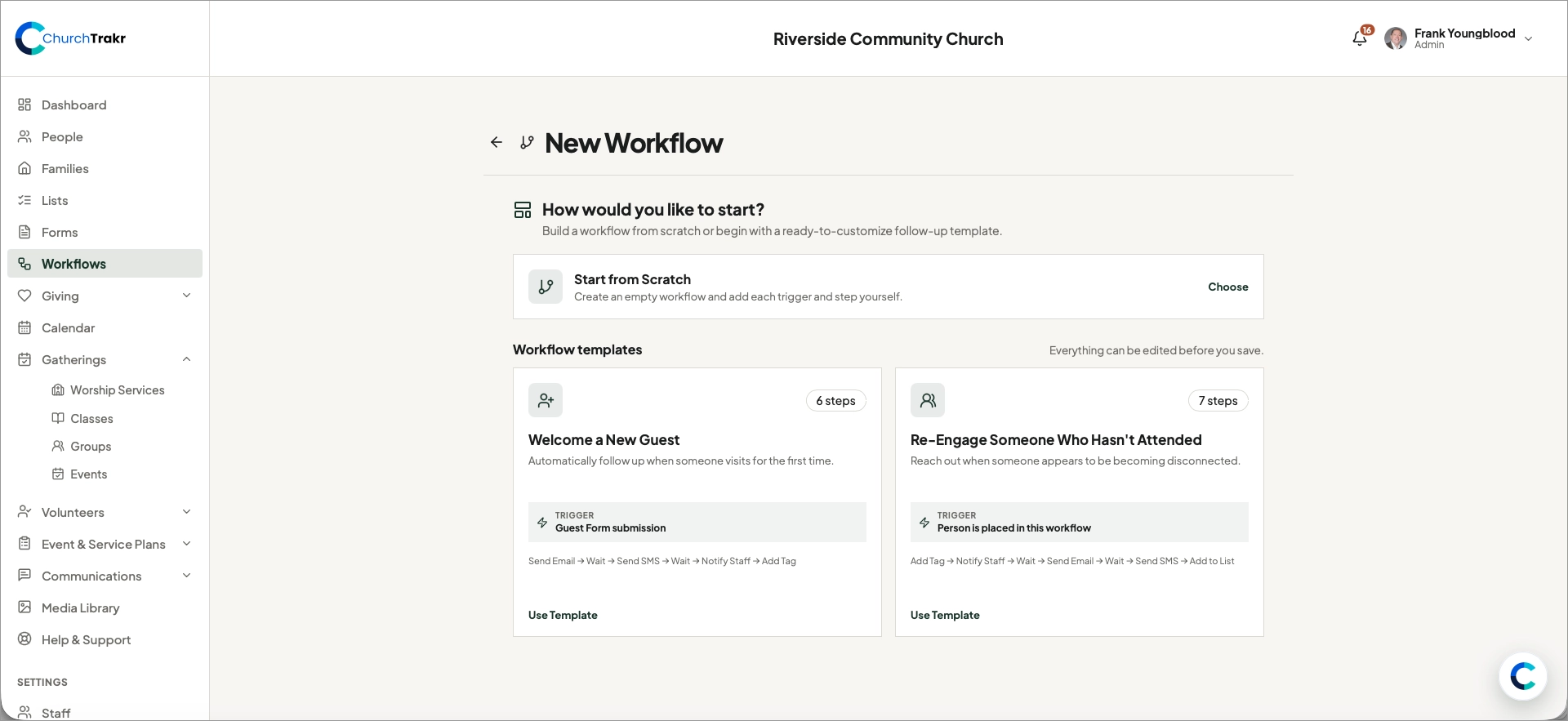
Workflow templates provide a useful starting sequence that you can edit before saving.
Choose a template
- Open Workflows and select New Workflow.
- Choose Welcome a New Guest or Re-Engage Someone Who Hasn’t Attended.
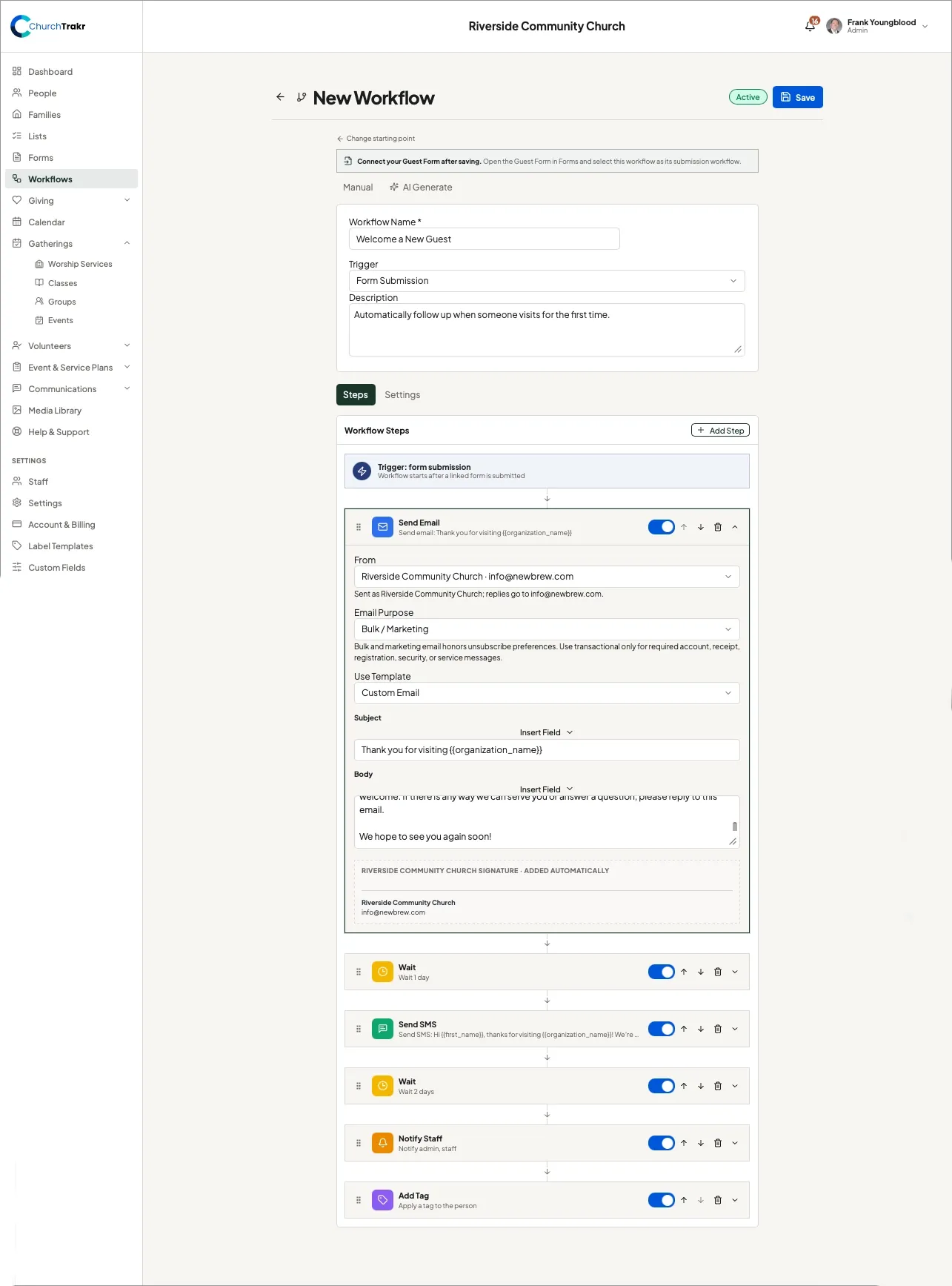
- Review the trigger, name, description, and every step.
- Edit messages, timing, recipients, tags, and lists for your church.
- Remove unnecessary steps or add new ones.
- Select Save.
The guest template uses a form-submission trigger. After saving it, open the appropriate guest form and select the workflow as that form’s submission workflow.
The re-engagement template uses manual enrollment, allowing staff to choose who enters the sequence.