
The public ChurchTrakr Help Center is available to anyone who needs instructions or answers about using ChurchTrakr.
Search the Help Center first
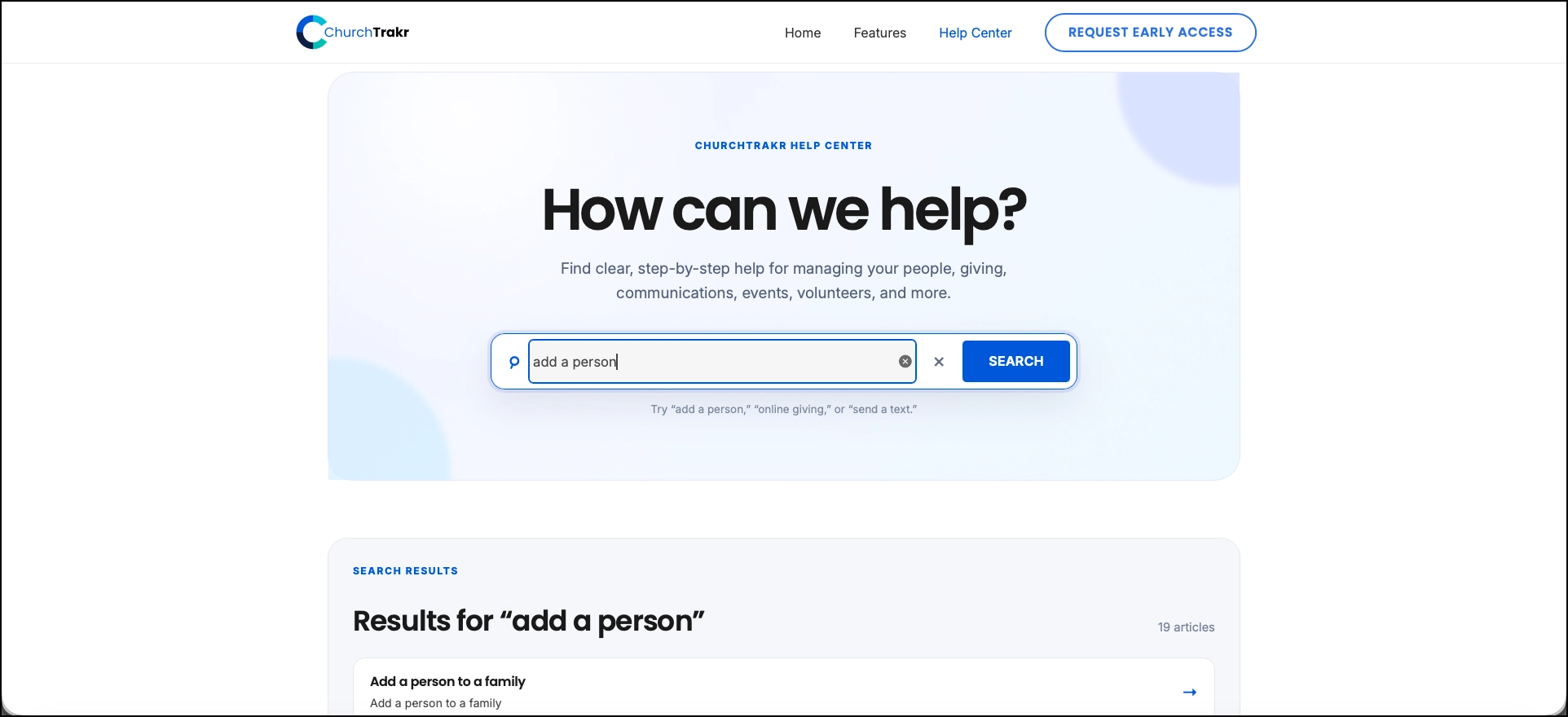
Enter a feature or task in the Help Center search box. You can also browse by topic to find related instructions.
Create a support request
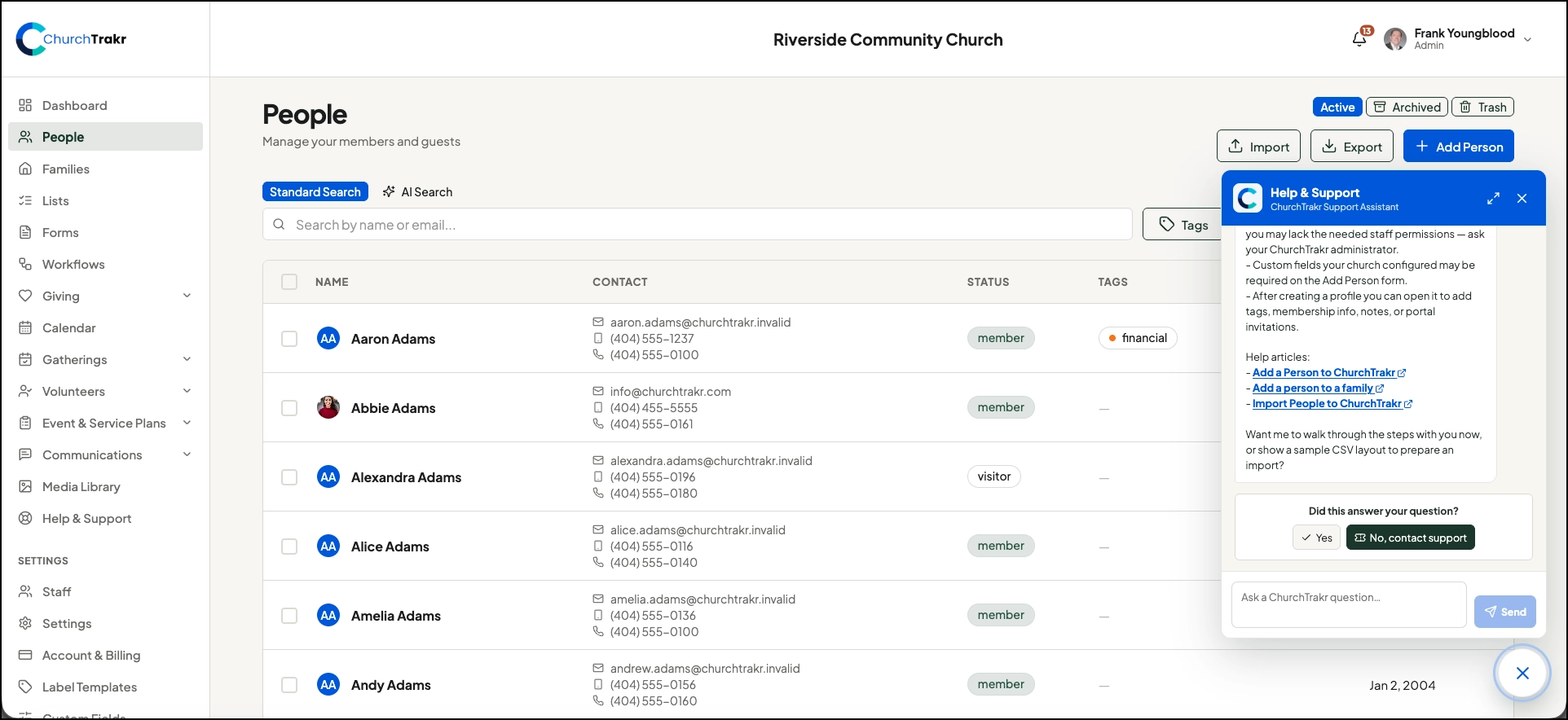
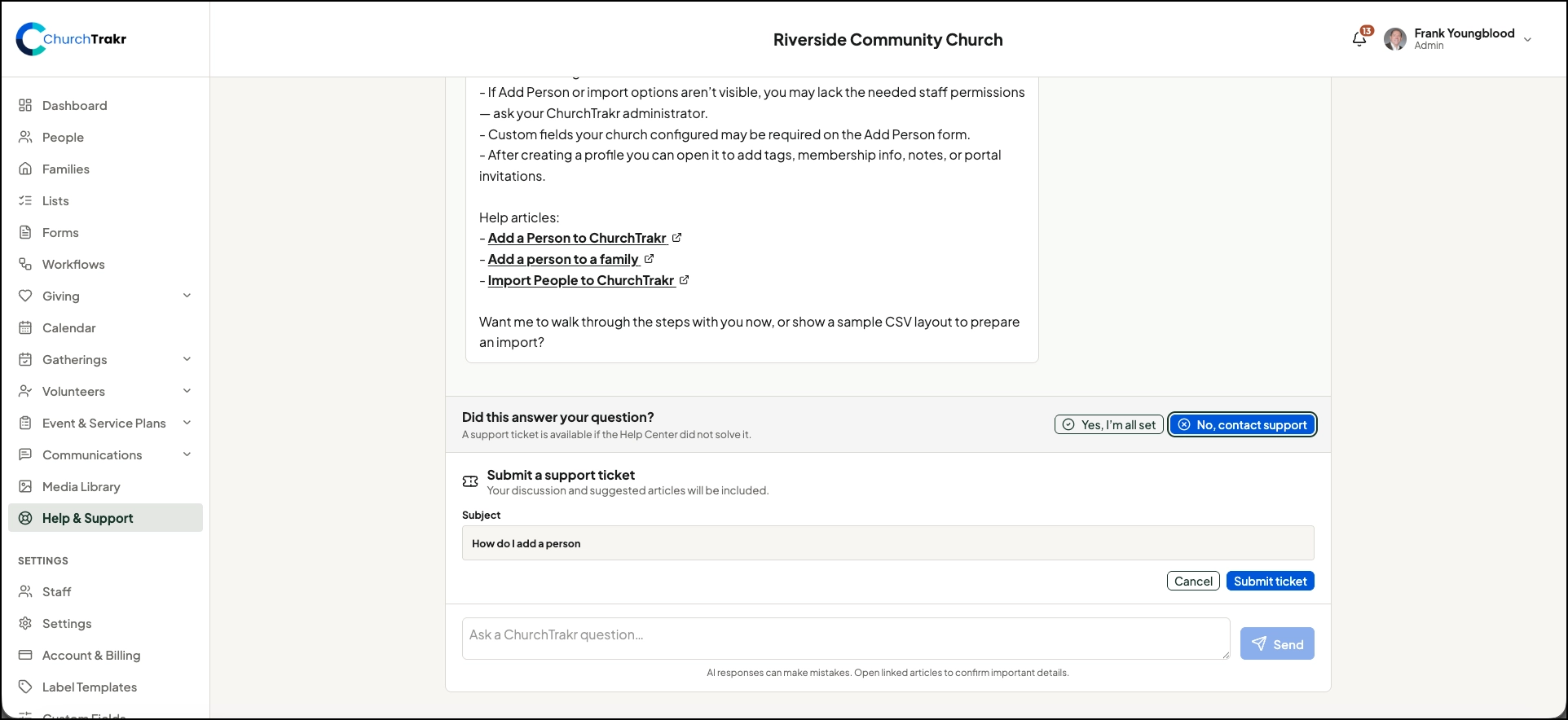
Support requests are available to ChurchTrakr customers who are signed in. Sign in to your ChurchTrakr account and use the in-app help button in the lower right hand of the screen to ask your question and if this doesn’t help, request to contact support. You will be taken to a full web page where you can click to submit a ticket. Add in your question and it will be sent to ChurchTrakr support. You could go directly to the support page labeled Help & Support in the left menu.
Include useful details
Describe what you were trying to do, what happened, and any message you saw. Include the page or feature involved. Screenshots can also help the support team understand the issue, but avoid including passwords or other sensitive information.