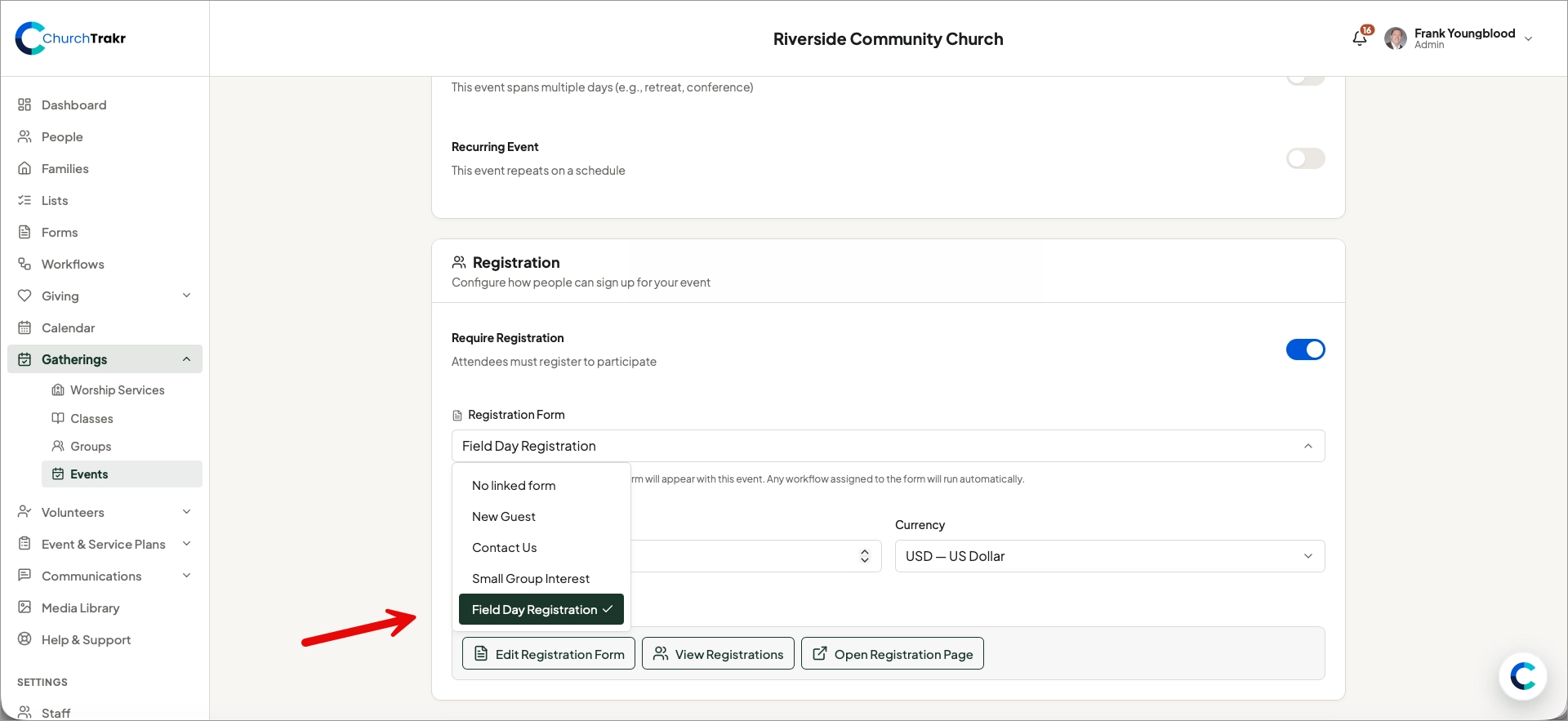
A form- or event-triggered workflow must be connected to the item that will start it.
Connect a form-submission workflow
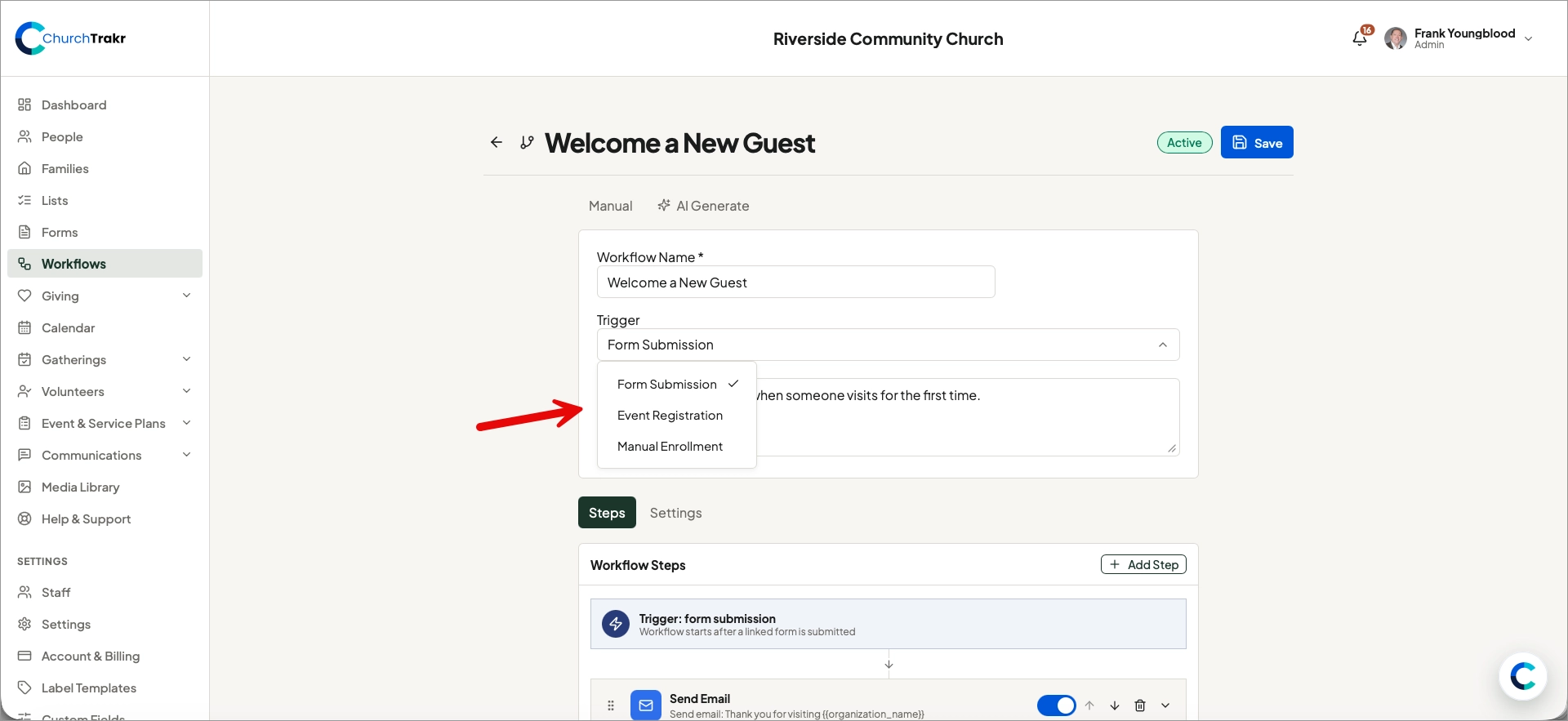
- Create and save a workflow with the Form Submission trigger.
- Open Forms and select the form.
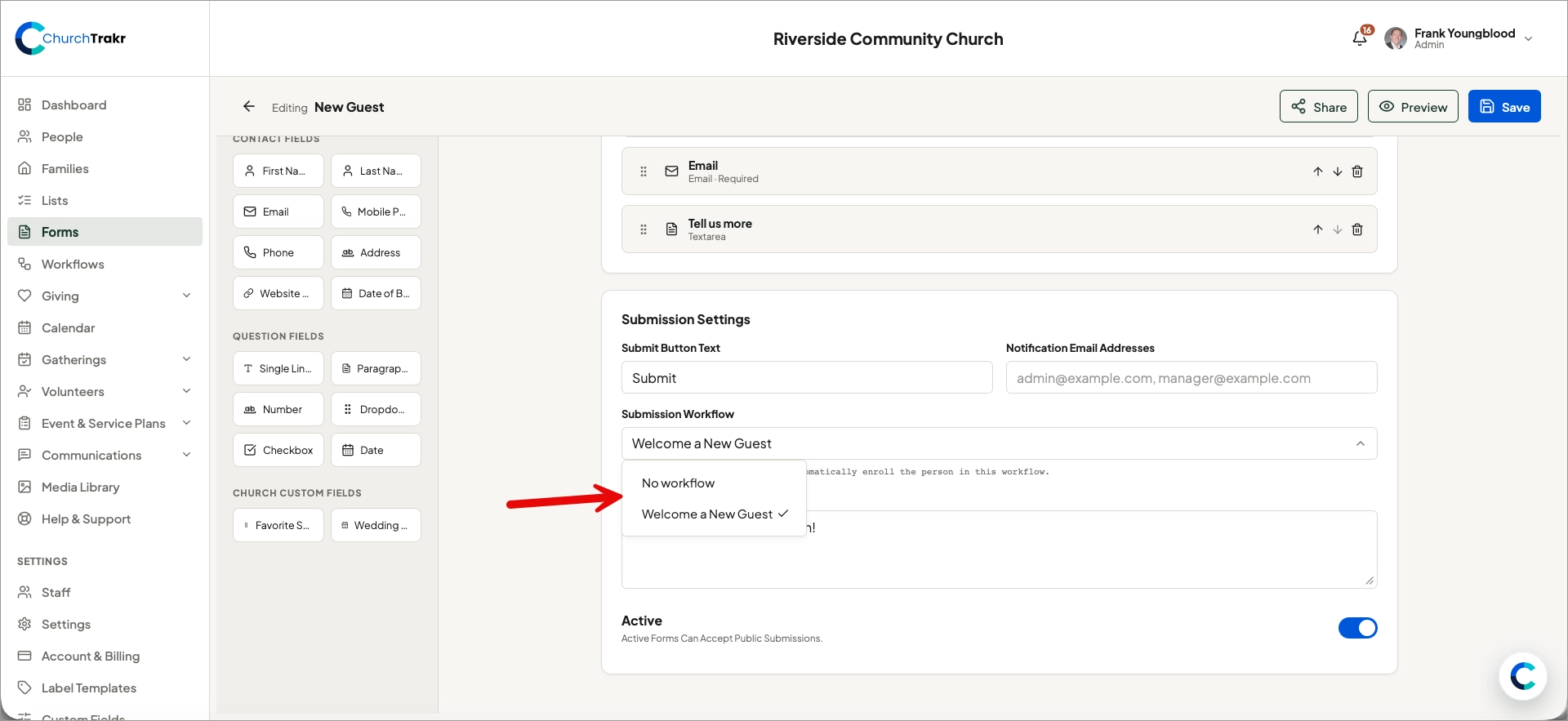
- Open the form settings.
- Select the workflow as the form’s submission workflow.
- Save the form.
Connect an event-registration workflow
- Create and save a workflow with the Event Registration trigger.
- Create an event registration form that links to the workflow
- Open the event and link the event registration form.
- The even requires the form, the form drives the workflow.
- Save the event.