
Add a person to your account to keep their contact information, membership details, family connection, tags, notes, and other important information together in ChurchTrakr.
Add a new person
- In ChurchTrakr, select People from the main menu.
- Select Add Person.
- Enter the person’s First Name and Last Name. These fields are required.
- Complete any additional information you want to keep on the person’s profile.
- Select Add Person to save the profile.
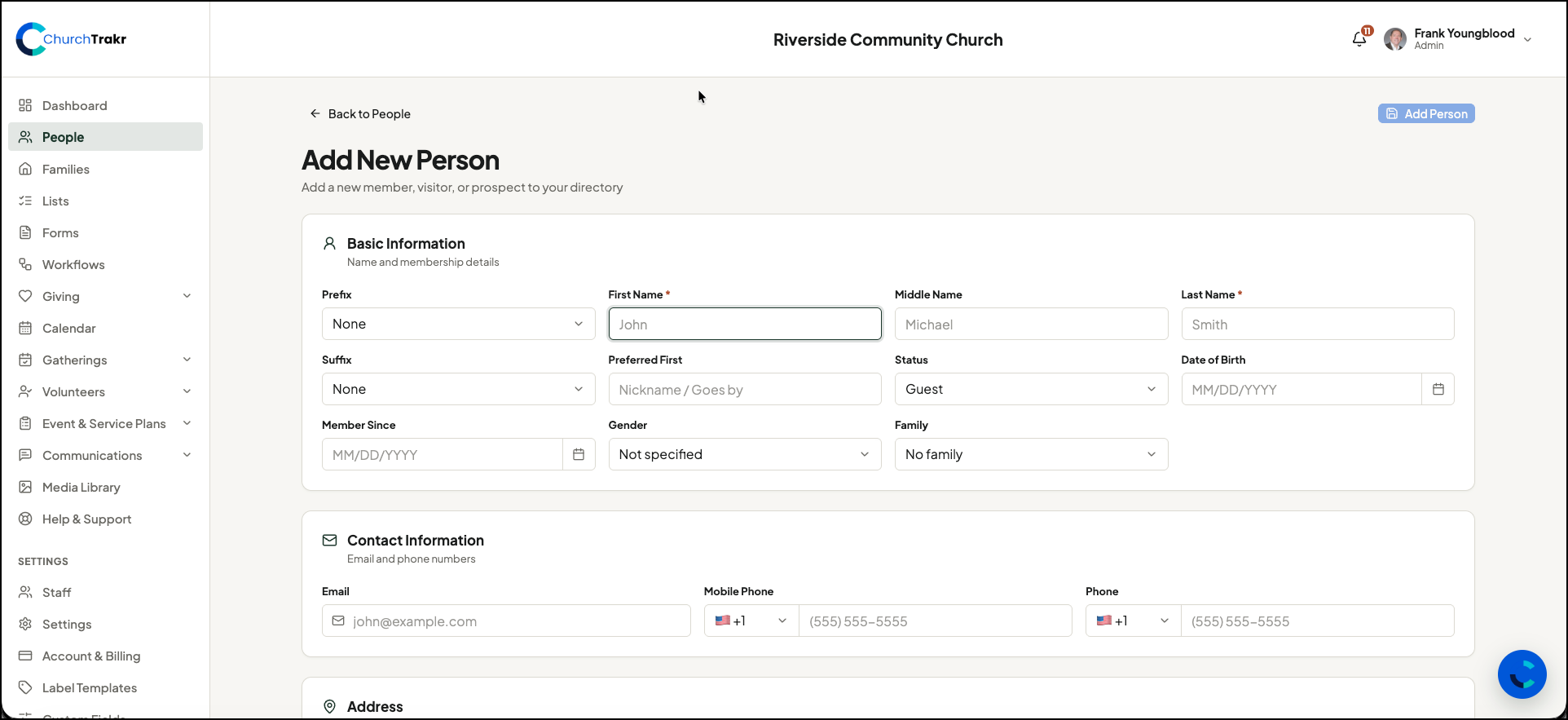
Basic information
Use the Basic Information section to enter the person’s name and directory details. Available fields include:
- Prefix, middle name, suffix, and preferred first name
- Status: Member, Guest, or Inactive
- Date of birth
- Member Since date
- Gender
- Family
If the person belongs to an existing family, select that family while creating the profile. You can also leave the person without a family and connect them later.
Contact information
Add the person’s email address, mobile phone number, and other phone number. When entering a phone number, select the appropriate country code first.
Address and website
You can record the person’s street address, second address line, city, state, ZIP code, and website. These fields are optional and can be updated later.
Notes and tags
Use the Notes and Tags section to record appropriate internal notes, allergy or medical information, and organizational tags. Tags can help you find and communicate with specific groups of people later.
Only record information your church is authorized to retain, and limit sensitive information to what is genuinely needed.
Custom fields
If your church has configured custom fields, they appear near the bottom of the form. Complete any required custom fields before saving. The available fields will vary based on your church’s settings.
Save the profile
When you are finished, select Add Person. ChurchTrakr creates the profile and returns you to the People area, where you can review or edit the new person.
If Add Person is unavailable
Make sure both the first and last name have been entered. If you cannot access the People area or add a profile, ask a ChurchTrakr administrator at your church to review your staff permissions.